Request emergency WordPress help for outages, critical errors, access loss, redirects, failed updates, or hacked sites. See response times and pricing.
BrightPrompt Consulting LLC is a small-business technology consulting firm that provides remote emergency WordPress help for sites that are offline, locked out, redirecting, defaced, showing a critical error, failing after an update, or suspected of compromise. The first goal is to reduce harm, preserve the recovery path, and diagnose the failure before changing files or restoring a backup.
Need emergency WordPress help?
Send the site address, exact symptom, time first noticed, recent changes, last known-good backup date, and confirmation that you can authorize access. Do not send credentials or private records through the form.
Coverage
Remote diagnosis and repair for outages, fatal errors, lockouts, failed updates, redirects, defacement, and suspected compromise.
Response
Urgent business-hours requests are typically answered in 1-2 hours. After-hours availability is confirmed case by case.
Pricing
$99 per month includes up to one hour of work. Additional time is $129 per hour.
WordPress problems BrightPrompt supports
| Problem | Initial support scope | Important boundary |
|---|---|---|
| Site offline or timing out | Check hosting, DNS, CDN, server status, logs, and WordPress availability | A host or network outage may require the provider that controls that service |
| Critical error after an update | Preserve the current state, identify the failing plugin, theme, PHP, or core change, and test a rollback | Changes should be tested outside production when staging is available |
| Administrator access lost | Review account, email, host, database, and security-plugin access paths | A password reset alone is not enough when access was changed maliciously |
| Spam redirect or defacement | Contain harmful traffic, preserve logs and files, review users and persistence, and recover from trusted components | Deleting the visible redirect does not prove the site is clean |
| Checkout or form failure | Test the business flow, provider status, logs, credentials, and recent code or configuration changes | Payment data and private customer records should not be sent through the inquiry form |
Availability and response times
BrightPrompt does not advertise a staffed 24/7 WordPress help desk or a guaranteed after-hours response. Urgent business-hours requests are typically answered in 1-2 hours. Standard business-hours requests are typically answered in 2-4 hours. Non-critical after-hours requests are handled the next business day, while critical after-hours availability and the response plan are confirmed for that incident.
These are typical answer times, not guaranteed repair-completion times. Safe recovery can depend on hosting access, usable backups, logs, the extent of a compromise, third-party providers, and whether the site must be rebuilt from trusted components.
Emergency WordPress support pricing
BrightPrompt's published retainer is $99 per month and includes up to one hour of remote or onsite support in that month. Additional time is $129 per hour. The retainer does not guarantee an emergency response or 24/7 live coverage. Hosting, licenses, replacement services, travel, taxes, after-hours work, and separately scoped projects are not included unless confirmed in writing.
BrightPrompt confirms availability, the first authorized scope, and expected charges before making changes. A critical error with a known update may take less time than a compromised site with no known clean backup.
How emergency WordPress support works
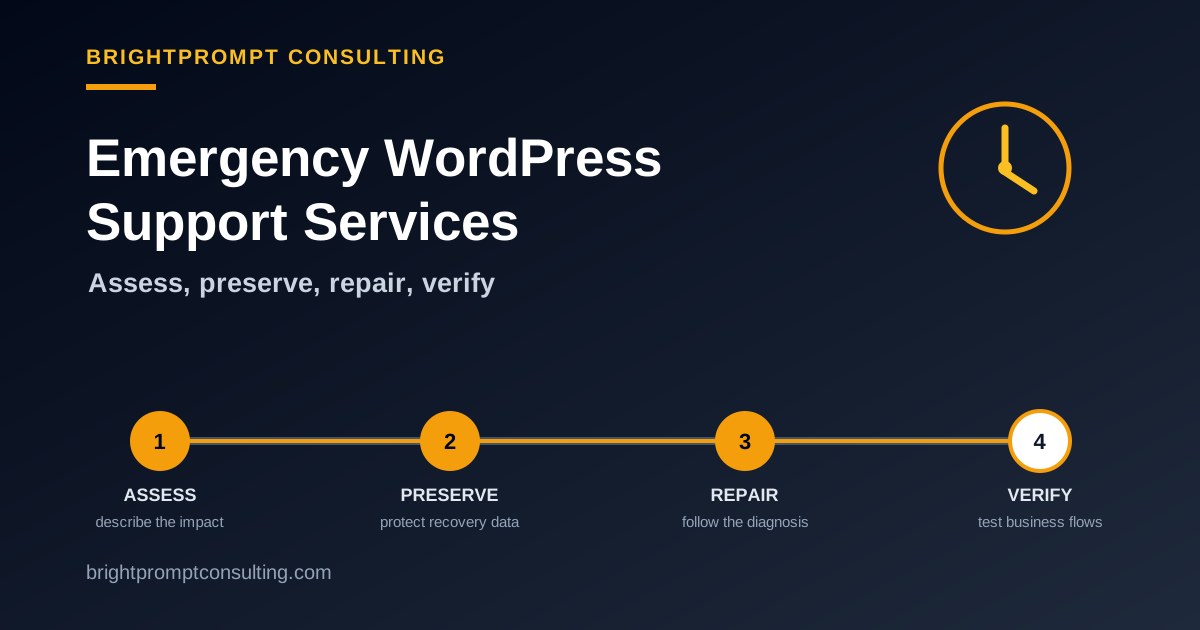
- Review the incident. BrightPrompt confirms the exact symptom, business impact, last known-good time, recent changes, and access you can authorize.
- Preserve evidence and data. Available files, database state, logs, users, versions, and backups are protected before risky repair work.
- Authorize the recovery path. You receive the proposed first action, access request, availability, and pricing terms before changes begin.
- Repair and verify. The diagnosed failure is corrected, then logins, forms, payments in test mode when available, redirects, HTTPS, key pages, and backups are checked.
What to send and what to keep private
Send
The site address, exact warning or symptom, time first noticed, recent changes, last known-good backup date, and affected business functions.
Keep private
Do not send passwords, API keys, payment data, private customer records, or full database exports through the inquiry form.
Have ready
An authorized contact, hosting and registrar details, a backup inventory, and the ability to approve the initial scope.
Frequently Asked Questions
Does BrightPrompt provide 24/7 WordPress emergency support?
No. BrightPrompt does not advertise a staffed 24/7 help desk or guaranteed after-hours response. Critical requests can be submitted at any time, and availability plus the response plan are confirmed for that incident.
How quickly will BrightPrompt answer a WordPress support request?
Urgent business-hours requests are typically answered in 1-2 hours, and standard business-hours requests are typically answered in 2-4 hours. These are typical answer times, not guaranteed resolution times.
How much does emergency WordPress help cost?
The published monthly retainer is $99 and includes up to one hour of work. Additional time is $129 per hour. Hosting, licenses, replacement services, after-hours terms, and separately scoped work are confirmed before changes begin.
Should I delete suspicious files before requesting help?
No. Deleting files can remove evidence without closing the entry point or removing persistence. Reduce harm to visitors, preserve the current files, database, and logs when possible, and wait for an authorized recovery plan.
Request emergency WordPress help
Have the site address, exact symptom, time first noticed, recent changes, last known-good backup date, and access authorization ready. Keep credentials and private records out of the form.