Office 2010 Support Ended: An 8-Computer Upgrade Budget
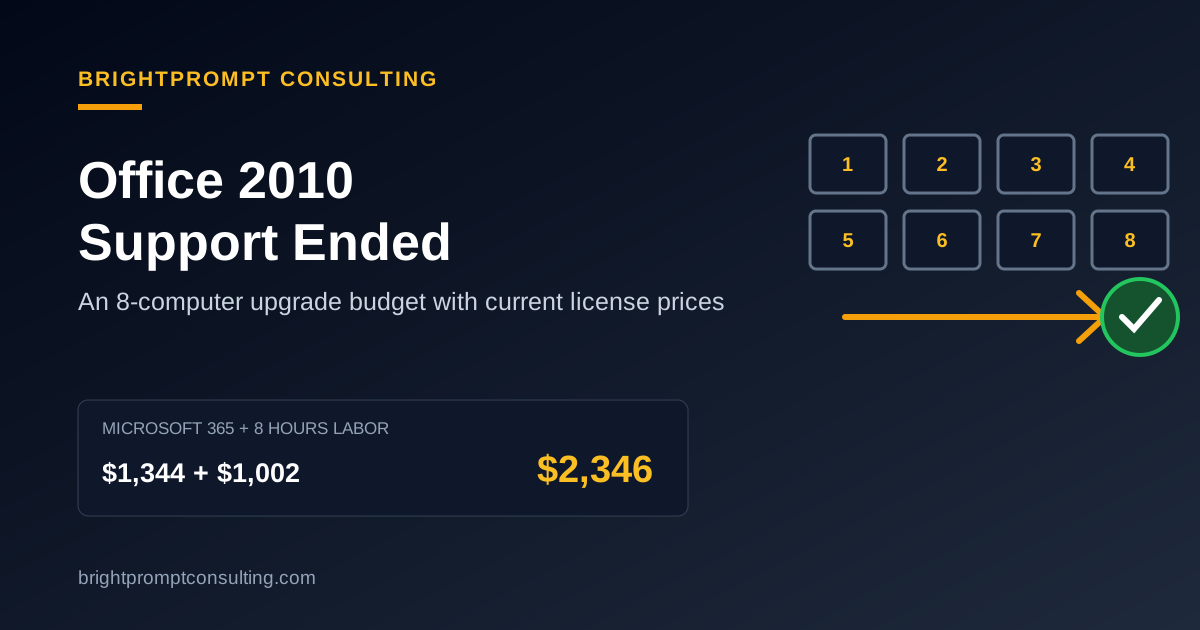
Office 2010 support ended on October 13, 2020, so Microsoft no longer provides technical help, bug fixes, or security updates for it. The programs may still open, but a business still using them should inventory its computers, test important files and add-ins, choose a supported license, and replace Office 2010 in a controlled rollout. In the eight-user example below, the first-year budget is $2,346 for Microsoft 365 Business Standard plus eight hours of BrightPrompt labor at published rates.
BrightPrompt Consulting LLC is a small-business IT consulting firm whose published retainer and hourly rates are used in this illustrative upgrade budget.
What did Office 2010 end of support change?
Office 2010 end of support removed Microsoft's technical support and software and security updates. Microsoft says there was no extension and no Extended Security Update program for Office 2010. An installed copy does not switch off, but newly discovered defects will not receive an Office 2010 patch.
That distinction matters. “Still works” describes today's visible behavior; “supported” tells you whether the vendor will repair tomorrow's security and compatibility problems. NIST Special Publication 800-171 Revision 3 says organizations should replace components when developer, vendor, or manufacturer support is no longer available, or provide risk mitigation when an unsupported component cannot yet be replaced.
What should you check before replacing Office 2010?
An Office 2010 replacement starts with the computers, licenses, and files that depend on it. Microsoft Learn tells administrators to review device platforms, operating systems, 32-bit or 64-bit architecture, languages, existing Office editions, and line-of-business add-ins before deploying Microsoft 365 Apps.
Build one row per computer with these fields:
- computer name, assigned user, and Windows version;
- Office edition and 32-bit or 64-bit architecture;
- Outlook data files, shared mailboxes, and local archives;
- Excel macros, Access databases, templates, and add-ins;
- printers, scanners, label tools, or accounting exports that call Office;
- the supported replacement license and installation result.
Check Windows at the same time. Microsoft says Windows 10 support ended on October 14, 2025 and recommends moving Microsoft 365 Apps devices to Windows 11. Replacing Office on an unsupported operating system leaves half of the support problem in place.
How much does an eight-computer Office 2010 upgrade cost?
An eight-computer Office 2010 upgrade can be budgeted two ways: a Microsoft 365 subscription or eight perpetual Office Home & Business 2024 licenses. On October 6, 2026, Microsoft's U.S. pages list Microsoft 365 Business Standard at $14 per user per month with annual billing and Office Home & Business 2024 at $249.99 for one PC or Mac. Prices can change, and taxes are excluded here.
| First-year line | Microsoft 365 option | Perpetual Office option |
|---|---|---|
| Licenses for 8 users/computers | 8 × $14 × 12 = $1,344.00 | 8 × $249.99 = $1,999.92 |
| BrightPrompt retainer, first hour | $99.00 | $99.00 |
| Seven additional labor hours | 7 × $129 = $903.00 | 7 × $129 = $903.00 |
| First-year total | $2,346.00 | $3,001.92 |
| License cost in year two | $1,344.00 at the same rate | $0 until another purchase is needed |
The labor assumption is eight hours: two hours to inventory and back up, two hours to test a pilot computer and key files, three hours to deploy the other seven computers, and one hour for user checks and documentation. Treat that as a planning estimate. A complex Access database or broken Outlook archive can add time; a standardized group of newer computers can take less.
Microsoft 365 Business Standard also includes business email and 1 TB of cloud storage per user, according to Microsoft's plan page, while Office Home & Business 2024 is a one-time license for the classic desktop apps on one PC or Mac. Compare the features you will use, not only year-one cost.
How do you upgrade Office 2010 without disrupting the office?
An Office 2010 upgrade is safest when one representative computer goes first and the rest follow only after real work passes. Microsoft's deployment guidance recommends a pilot group that represents the architectures, add-ins, macros, and business applications in the organization.
- Back up user data. Copy local documents, templates, Outlook data files, macro workbooks, and Access databases. Verify that the backup opens.
- Choose a pilot. Pick a user who relies on the same files and add-ins as the rest of the team and can report problems clearly.
- Remove conflicts and install the replacement. Record the old edition and architecture before changing anything.
- Run a work test. Open a normal Word template, refresh a key Excel workbook, send and receive Outlook mail, export from the accounting system, and print.
- Deploy in batches. Upgrade two or three computers at a time so the whole office is not exposed to the same surprise.
- Close the loop. Confirm activation, updates, default file associations, backups, and a rollback record for every computer.
The support upgrade mistakes guide covers the same planning traps for aging server software: skipping inventory, ignoring dependencies, and treating the install as the end of the job.
What if an old add-in or database only works in Office 2010?
An Office 2010 dependency should be isolated, documented, and given a replacement deadline. First test the file or add-in on a supported Office version. If it fails, ask its vendor for a supported release or replace the workflow. Keeping one isolated machine temporarily may be a bridge, but it should not handle routine email or unrestricted browsing.
Do not assume 32-bit and 64-bit editions behave identically. A legacy add-in may require 32-bit Office even on 64-bit Windows. Microsoft specifically includes architecture and application compatibility in its pre-deployment assessment, so record the decision instead of accepting an installer's default.
Who should handle the migration?
A small office can handle an Office 2010 migration internally when its files are simple, the computers are supported, and someone can test backups and restore a failed installation. Bring in IT support when Outlook archives, macros, Access databases, line-of-business add-ins, or unsupported Windows versions appear in the inventory.
BrightPrompt's small-business IT consulting service publishes the rates used in the example and offers same-day remote and onsite response. Before approving work, use the IT support price checklist to confirm whether license purchasing, backups, data repair, travel, and follow-up are included. The consultant mistakes guide also explains why admin ownership and written documentation should stay with your business.
Frequently Asked Questions
When did Office 2010 support end?
Microsoft ended Office 2010 support on October 13, 2020. Microsoft no longer issues security updates, bug fixes, or technical support for that version.
Can I keep using Office 2010 after support ended?
The applications may continue to run, but they are unsupported and receive no new security fixes. A business should plan a supported replacement and isolate any temporary legacy dependency.
Does Office 2010 have Extended Security Updates?
No. Microsoft's support page says Office 2010 received no support extension and no Extended Security Updates.
How much is the eight-user upgrade example?
The Microsoft 365 example totals $2,346 in year one: $1,344 for eight annual Business Standard subscriptions at $14 per user per month, plus $1,002 for eight hours of BrightPrompt labor under its published retainer and hourly rates.