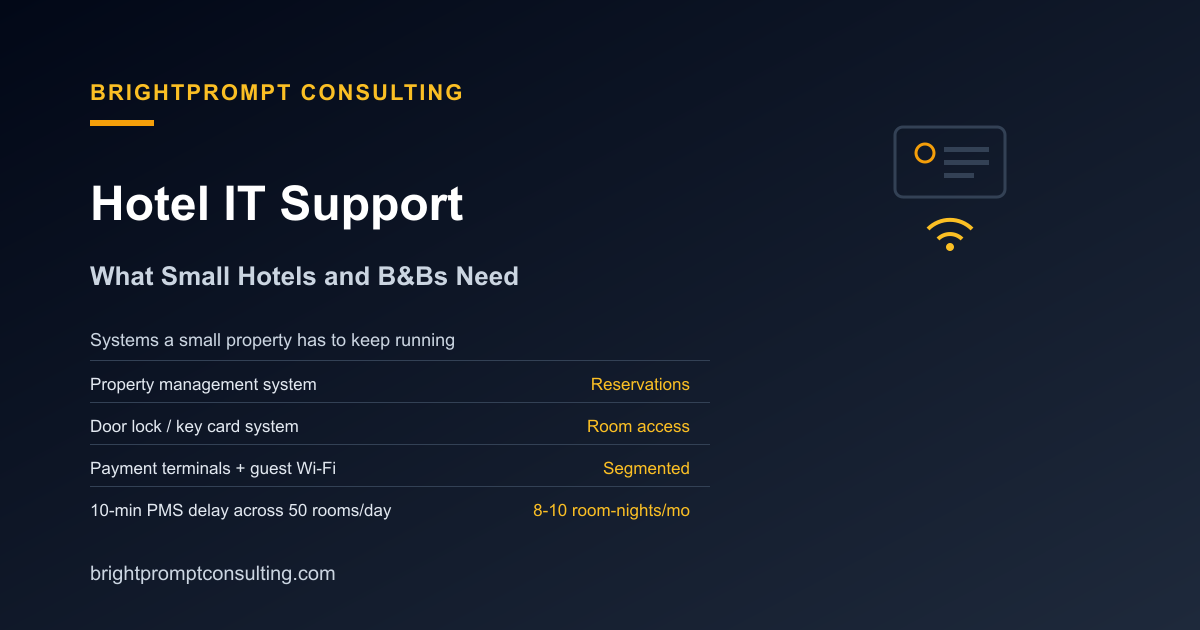
Hotel IT Support: What Small Hotels and B&Bs Need
Hotel IT support means keeping the property management system, guest Wi-Fi, door locks, and payment terminals running as one connected system, not a pile of separate vendor contracts. A small hotel or bed and breakfast typically needs three things a general small-business IT plan doesn't cover: 24/7 coverage since front desks never fully close, hands-on hardware support for locks and terminals, and a provider who understands how a property management system connects to everything else. Independent properties make up roughly 40% of U.S. hotels, and most of them are running lean enough that one bad outage at the front desk becomes a same-day problem, not a next-week one.
Why Hotel IT Doesn't Fit a Generic Small-Business Plan
A restaurant or dental office can usually absorb 20 minutes of a system being down. A hotel front desk generally can't, because guests are standing there with luggage. Hoteliers report spending 63% of their technology budget just maintaining the systems they already have, with only 23% going toward new software and 7% toward research and development, according to a hotel technology budget study cited by Hotel Tech Report. That ratio tells you something: most hotel tech spending is defensive, keeping the PMS, the locks, and the network up, rather than adding new tools.
The Systems a Small Property Actually Runs
Even a 15-room B&B is running more connected systems than it looks like from the lobby.
| System | What it does | What happens if it fails |
|---|---|---|
| Property management system (PMS) | Reservations, check-in/out, room status, billing | Front desk reverts to paper, no real-time room availability |
| Channel manager / booking engine | Syncs rates and availability to OTAs and the website | Overbookings or stale pricing across booking sites |
| Door lock / key card system | Issues and revokes room access | Guests locked out, or staff manually re-keying doors |
| Payment terminals | Processes card payments at the desk, bar, or breakfast area | Manual card imprints or cash-only, plus PCI exposure |
| Guest Wi-Fi | Internet access for guests, separate from back-office systems | Guest complaints, negative reviews, and a security risk if not segmented |
What an Outage Actually Costs
The math is more concrete than "bad guest experience." At a $180 average daily rate, a 10-minute delay in getting rooms marked ready across 50 rooms a day works out to roughly 8 to 10 room-nights of lost or discounted revenue a month, once you count late check-ins, rushed turnovers, and the comped nights staff issue to smooth things over, according to hospitality IT analysis from Sbit. Multiply that by a full PMS outage instead of a 10-minute delay, and the number stops being a rounding error. None of that shows up as a single line item on a P&L; it gets absorbed into comped rooms, missed upsells, and a slightly lower review score the following week.
Why Cloud PMS Changes the Support Conversation
A meaningful share of small and independent properties have moved to cloud-based PMS platforms specifically because they push updates, backups, and a chunk of technical support back onto the software vendor instead of onto property staff. That doesn't eliminate the need for local IT support, but it does shrink it: someone still has to manage the network the PMS runs on, the door lock integration, the guest Wi-Fi, and the payment terminals, even if the PMS itself is cloud-hosted. With over 4,600 boutique hotels operating in the U.S. and independents making up around 40% of the national hotel count, this is a large enough segment that "hotel IT support" shouldn't default to whatever a big-chain corporate IT department does.
What to Ask Before Hiring a Provider
A generic managed-IT quote often assumes a 9-to-5 office. A hotel needs different answers to the same questions:
- Does after-hours coverage include someone who can physically respond if a door lock system or payment terminal fails at 11 p.m.?
- Is guest Wi-Fi segmented from the network running your PMS and payment terminals, or is it all one flat network?
- Has the provider worked with your specific PMS or channel manager before, or would this be their first time troubleshooting it?
- Who handles PCI compliance for the payment terminals, the provider, the PMS vendor, or nobody until an audit flags it?
- What's the actual onsite response time if a physical fix is needed, not just a remote reset?
That last point matters more for a hotel than almost any other small business type we cover, since a broken lock or a dead terminal can't be fixed over the phone. Our onsite IT support guide walks through what a real dispatch commitment should include, which is worth reading before you sign anything that only promises "remote support" for a property with physical hardware at stake. If your PMS or booking engine needs a custom integration between systems that don't talk to each other out of the box, that's a project for custom software development rather than a standard help-desk ticket.
Getting the Network Right First
Most hotel IT problems trace back to network design more than any single device. Guest Wi-Fi, back-office systems, and payment terminals should sit on separate network segments so a guest's infected laptop can't reach the systems processing credit cards. If you're not sure whether your current setup does that, our explainer on network support and services covers what proper segmentation and monitoring actually look like, and it's a shorter fix than most owners expect once a provider actually maps the network out.
Before signing with any provider, run their quote through the same questions in our IT support price checklist: what's included, what triggers overage billing, and whether the response-time commitment covers nights and weekends, not just a 9-to-5 window that doesn't match how a hotel actually operates.
Frequently Asked Questions
What does hotel IT support typically include?
It covers the property management system, channel manager and booking engine, guest Wi-Fi, door lock and key card systems, and payment terminals, plus the network connecting all of them. Unlike a standard office IT plan, it usually needs to include after-hours and onsite response, since front desks operate outside normal business hours.
Do small hotels and B&Bs need 24/7 IT support?
Most do, at least for critical systems like the PMS, door locks, and payment processing. A front desk generally can't tell a guest to come back during business hours, so after-hours coverage that includes onsite dispatch, not just remote troubleshooting, matters more for hotels than for a typical 9-to-5 business.
How much does a PMS outage actually cost a small hotel?
At a $180 average daily rate, a 10-minute delay in room-ready notifications across 50 rooms a day can cost roughly 8 to 10 room-nights of revenue a month in late check-ins and comped stays, according to Sbit's hospitality IT analysis. A full system outage compounds that well beyond a rounding error.
Should guest Wi-Fi be on the same network as hotel payment systems?
No. Guest Wi-Fi should sit on a separate network segment from the PMS, door locks, and payment terminals. Running everything on one flat network creates a security risk where a compromised guest device could potentially reach systems processing card payments.
Does moving to a cloud PMS eliminate the need for local IT support?
No, but it does reduce it. A cloud PMS shifts software updates and some technical support to the vendor, but a property still needs someone managing the local network, guest Wi-Fi, door lock integration, and payment terminals.