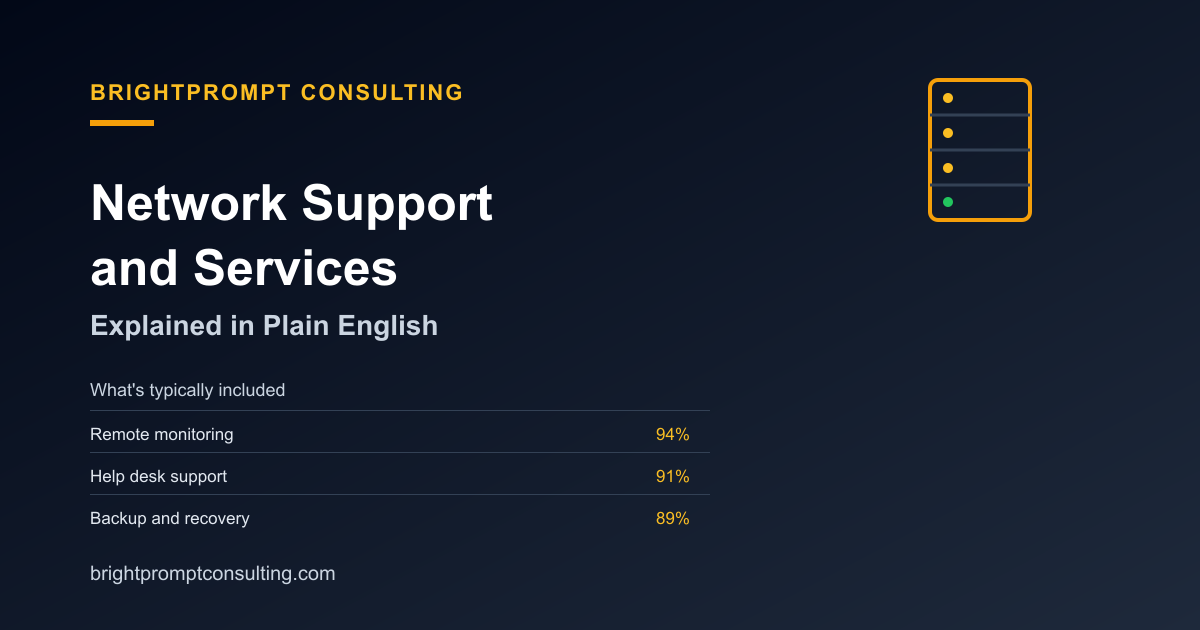
Network Support Services for Small Businesses
Network Support Services for Small Businesses keep the computers, Wi-Fi, printers, servers, backups, and internet connections a company relies on working together. Network support means someone monitors, maintains, and fixes those systems before and after something breaks. The exact bundle varies, so a useful quote should separate the core service from optional and separately scoped work.
| Service | Typical place in a network support quote | What to confirm |
|---|---|---|
| Monitoring | Usually core | Which devices and alerts are monitored, and during what hours? |
| Help desk | Usually core | Which users and issue types are covered? |
| Backup and recovery | Usually core | Who checks backups and who performs a restore? |
| Patching | Usually core | Which operating systems, devices, and applications are included? |
| Security | Usually core | Does the quote cover configuration, monitoring, incident work, or all three? |
| Onsite dispatch | Optional | How are availability, travel, mileage, and minimums confirmed? |
| Emergency coverage | Separately scoped | What hours, response commitment, and escalation path are written into the agreement? |
| Website and DNS support | Separately scoped | Are hosting, DNS, uptime, and site repairs owned by this provider or another vendor? |
Download the network support quote comparison worksheet
Use the same worksheet for every provider so you compare covered systems, service hours, response terms, exclusions, and exception costs on the same scope. The fictional rows show how to record an answer; replace them with your own quotes and never enter passwords, IP addresses, or customer data.
Download the network support quote comparison worksheet (CSV)
| Decision field | Fictional example A | Fictional example B |
|---|---|---|
| Covered systems | Workstations and network equipment | Servers, network equipment, and workstations |
| Service hours | Monday–Friday, 8 a.m.–5 p.m. | Monday–Friday, 7 a.m.–7 p.m., with critical alerts after hours |
| Response terms | Acknowledgement within four business hours; resolution target depends on priority | Critical acknowledgement within 30 minutes; standard acknowledgement within two business hours |
| Exclusions | Projects, after-hours work, incident response, and new hardware | Projects, cabling, vendor fees, and hardware replacement |
| Exception costs | Onsite dispatch, travel, and overage billed separately | Overage and travel outside the service area billed separately |
What “network support” actually covers
A network is the internal plumbing: routers, switches, Wi-Fi access points, an office server or network storage, and every device connected to them. Support for that plumbing commonly combines monitoring, help desk work, backup checks, patching, and security tasks. A proposal should name the systems covered instead of relying on the phrase “managed support.”
Network support vs. website support
Network support covers internal systems such as office Wi-Fi, routers, servers, and connected devices. Website support covers the site, hosting, DNS, and uptime. A provider may scope both, but one should never be assumed to include the other. Ask who owns each system and how a problem moves between providers.
How emergency and onsite support fit in
Emergency coverage and onsite dispatch often sit outside the core bundle. Emergency coverage defines what happens when a critical issue occurs outside normal hours. Onsite dispatch covers physical problems that cannot be resolved remotely. Availability, response terms, travel, mileage, trip fees, and minimums should be confirmed for the request or written into the agreement. See the IT emergency support options and the onsite IT support guide for the questions to ask.
What BrightPrompt can scope
BrightPrompt Consulting can scope remote or onsite technical support, network troubleshooting, website and hosting work, DNS issues, custom software, and workflow automation. The published consulting terms include up to one hour of remote or onsite support in the $99 monthly retainer, with additional time billed at $129 per hour. Response and onsite availability are confirmed for the request; monitoring, backup administration, security coverage, emergency availability, and travel rules should be included only when they are specifically agreed.
Review BrightPrompt’s small-business IT consulting terms and request a scoped conversation.
Five-step network support quote checklist
- List the systems. Count locations, users, computers, network equipment, servers, websites, domains, and cloud services that need an owner.
- Mark each service. Label monitoring, help desk, backup, patching, security, onsite, emergency, and website or DNS work as included, optional, or excluded.
- Write down response terms. Separate business-hours acknowledgement from resolution, onsite arrival, and after-hours availability.
- Price the exceptions. Confirm hourly overages, travel time, mileage, trip fees, minimums, hardware, and third-party software.
- Name the escalation path. Record who the business contacts, who can authorize extra work, and what happens when another vendor owns the failing system.
Frequently Asked Questions
What is included in network support services for small businesses?
A typical core includes monitoring, help desk work, backup checks, patching, and security tasks. Onsite dispatch may be optional, while emergency coverage and website or DNS support are often separately scoped. The agreement should identify every included system and service.
Is network support the same as website support?
No. Network support covers internal systems such as office Wi-Fi, routers, servers, and connected devices. Website support covers the site, hosting, DNS, and uptime. A provider can scope both, but the quote should say so explicitly.
Does network support include onsite and emergency help?
Not automatically. Onsite dispatch may be optional, and emergency coverage is commonly a separate scope with its own hours, response terms, escalation path, and fees. Confirm both before relying on them.
What can BrightPrompt scope?
BrightPrompt can scope remote or onsite technical support, network troubleshooting, website and hosting work, DNS issues, custom software, and workflow automation. Monitoring, backup administration, security coverage, emergency availability, and travel rules are included only when specifically agreed.
How should I compare network support quotes?
Compare the systems covered, services included, response terms, exception pricing, and escalation path. Use the same inventory for every provider so a lower price does not hide a smaller scope.
A useful network support quote names what is core, optional, separately scoped, and excluded. Start with the eight service categories above, then make the provider put response terms, exception pricing, and escalation ownership in writing.