Deceptive Web Addresses: 7 Mistakes That Make Fake Sites Work
Malicious websites often use deceptive web addresses to trick users by placing a trusted name in the wrong part of a URL, swapping a character, or hiding the destination behind a link or shortened address. Read the registered domain from right to left before entering a password or payment detail, and verify sensitive requests through a saved bookmark or independently found phone number. A padlock shows that the connection is encrypted; it does not prove the site belongs to the company it imitates.
The risk is large enough to deserve a repeatable check. The FBI's 2025 Internet Crime Report recorded 191,561 phishing or spoofing complaints, the highest complaint count among the listed crime types. These seven mistakes explain how a convincing page gets past an otherwise careful person.
1. Why is reading a URL from the left a mistake?
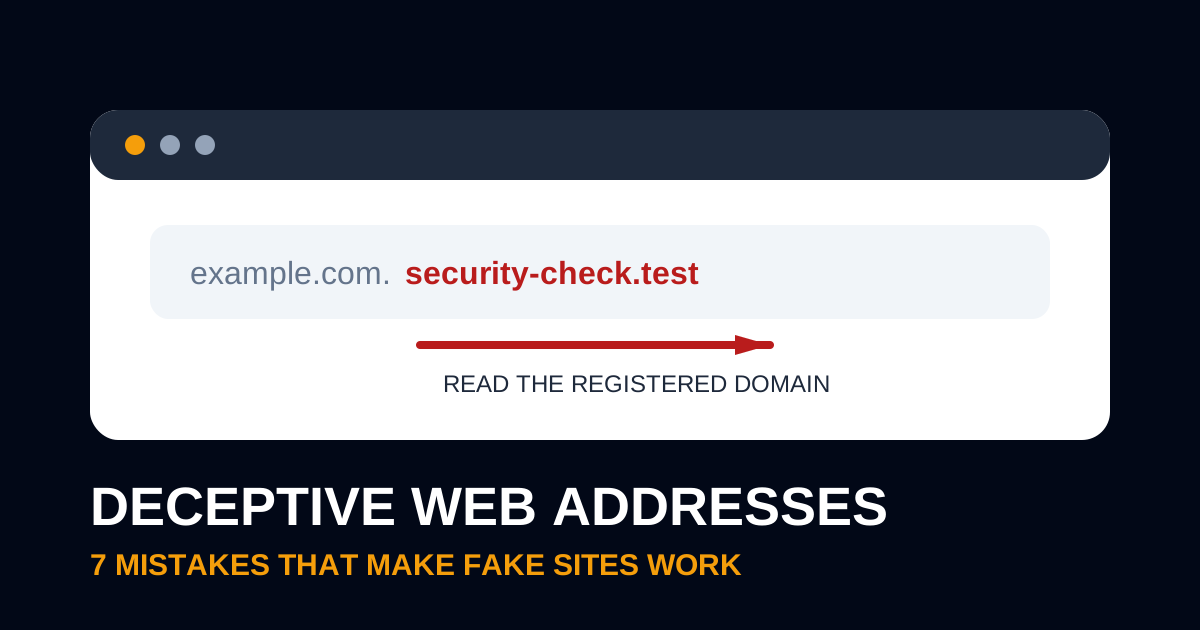
Reading a URL from the left is a mistake because attackers can put almost any familiar word in a subdomain or path. In accounts.example.com.security-check.test/login, the registered domain is security-check.test; everything before it is controlled by that domain owner. The word example.com is scenery in this fictional, nonworking address.
Start after https://, stop before the first slash, and examine the host. Then work backward from the suffix to identify the registered name immediately before it. Country-code and multi-part suffixes can make this harder, so use a browser's site-information control or a domain lookup when the ownership remains unclear.
2. Why does a padlock fail to prove a website is legitimate?
A padlock fails as an identity check because HTTPS protects traffic between the browser and the site presented in the address bar. A scam operator can encrypt a deceptive site too. The certificate helps prevent interception; it cannot tell you that billing-help.test belongs to your bank.
The FTC documented this exact identity problem in a warning about myftc.info/reportfraud, a URL that displayed the agency's name, logo, and website content without authorization. The page could look official while the registered domain remained unrelated to ftc.gov. Treat HTTPS as a required connection safeguard, then check the domain separately.
3. How do tiny spelling changes fool users?
Tiny spelling changes fool users because people recognize a word's shape faster than they inspect every character. An attacker may omit a letter, add a hyphen, use a neighboring keyboard character, or substitute a lookalike character from another alphabet. On a phone, the shortened address bar leaves even less context visible.
The FBI advises people to examine URLs and spelling carefully because “scammers often use slight differences to deceive you.” Slow down around sign-in, invoice, payroll, delivery, and password-reset links. Those are moments when urgency makes a near-match feel good enough.
4. Why is trusting the visible link text a mistake?
Trusting visible link text is a mistake because the label and destination are separate fields. A link can display a familiar company address while sending the click somewhere else. On a computer, hover without clicking and read the destination shown by the browser or mail client. On a phone, press and hold to preview the link, taking care not to open it.
NIST defines phishing as convincing messages that trick people into opening harmful links or software. Its small-business phishing guidance recommends verifying a request with known contact information or a public company website, rather than contact details supplied in the message.
5. Why do redirects and short links deserve a second check?
Redirects and short links deserve a second check because they hide the final host until the browser follows them. Marketing platforms use redirects for ordinary click tracking, so the mere presence of one does not prove malice. The hidden destination still removes the evidence a user needs at the moment of decision.
If a message asks for credentials, money, tax information, or a security code, skip the link. Open the service from a saved bookmark or type the known address yourself. For a business-owned campaign, document every redirect domain and expiration date so staff can distinguish authorized links from copies.
6. Why is judging the page design a weak safety test?
Judging the page design is weak because logos, colors, wording, and form layouts are easy to copy. A polished login page can sit on a deceptive domain, while a legitimate small-business page can look dated. Domain ownership, the context of the request, and independent verification carry more weight than visual quality.
The FBI received 1,008,597 internet-crime complaints reporting $20.877 billion in losses during 2025. Those totals cover many crime types, yet they show why visual familiarity cannot be the final control. Staff need a short verification habit they can use under pressure.
7. Why is entering information before checking the domain costly?
Entering information before checking the domain is costly because a fake form can capture a password, payment detail, session token, or personal record before anything looks wrong. Website data includes the values a visitor submits as well as logs, cookies, and browser storage; our guide to what website data contains explains that wider footprint.
Use a password manager as a practical warning layer. When it normally fills credentials on a real domain but stays blank on a lookalike, stop and inspect the host. Do not defeat that warning by copying the saved password manually.
How can a team practice spotting deceptive domains?
A team can practice with a five-address exercise that asks employees to circle the registered domain before discussing page appearance. The examples below use reserved names and are intentionally nonworking. Score one point for the correct registered domain and one for the safe next action.
| Practice address | Registered domain | Safe action |
|---|---|---|
payroll.example.com | example.com | Continue only if this is the known company domain |
example.com.verify-login.test | verify-login.test | Close it and report the message |
support-example.test/reset | support-example.test | Use a saved bookmark instead |
example.test.account-review.invalid | account-review.invalid | Do not submit information |
portal.example.com/invoices/42 | example.com | Confirm the expected path and request |
Five addresses produce 10 possible points. A score of 8 means the employee got 80% of the decisions right, but the two misses matter more than the percentage. Review the reasoning for each miss, then repeat with examples drawn from real services the business uses.
What should you do after clicking a malicious website?
After clicking a malicious website, disconnect only if a download ran or the device shows suspicious activity, then preserve the message and URL for whoever handles security. If you entered a password, change it from a known-clean device, revoke active sessions, enable or reset multifactor authentication, and check whether the password was reused. Contact the financial institution immediately if money or payment details were involved.
Report the incident through the FBI's IC3 and the FTC's ReportFraud system when appropriate. If the deceptive page appeared on your own site, preserve logs and backups before cleanup. BrightPrompt's hacked-site recovery guide explains how to contain the incident, preserve evidence, restore trusted components, and verify the repair, while the emergency website repair service explains coverage, response times, pricing, and how to request help for an outage, redirect, certificate failure, or compromise.
What do users ask most often about deceptive web addresses?
Users most often ask which part of the address proves where the browser is actually going.
What part of a web address should I check first?
Check the registered domain in the host, the part after https:// and before the first slash. Read it from right to left, paying attention to the suffix and the name immediately before it.
Does HTTPS mean a website is safe?
HTTPS means the browser's connection to that domain is encrypted. It does not establish that the domain belongs to the brand, bank, agency, or person named on the page.
Can merely opening a deceptive website infect a device?
Modern browsers reduce drive-by risk, but vulnerable software, malicious downloads, and permission prompts still create exposure. Keep the browser and operating system updated, close the page, and investigate any download or unexpected behavior.
Where should a business report a phishing website?
Preserve the URL and original message, notify the impersonated organization through a known channel, and report suspected internet crime to IC3 and fraud to the FTC. Your email provider, web host, or domain registrar may also accept abuse reports.